


Stop counting CVEs. Start proving which fixes actually held
Your backlog is not a data problem, it is a decision problem. Every finding carries the context to act on it, and every fix gets a named status you can defend to your board, not just open or closed.





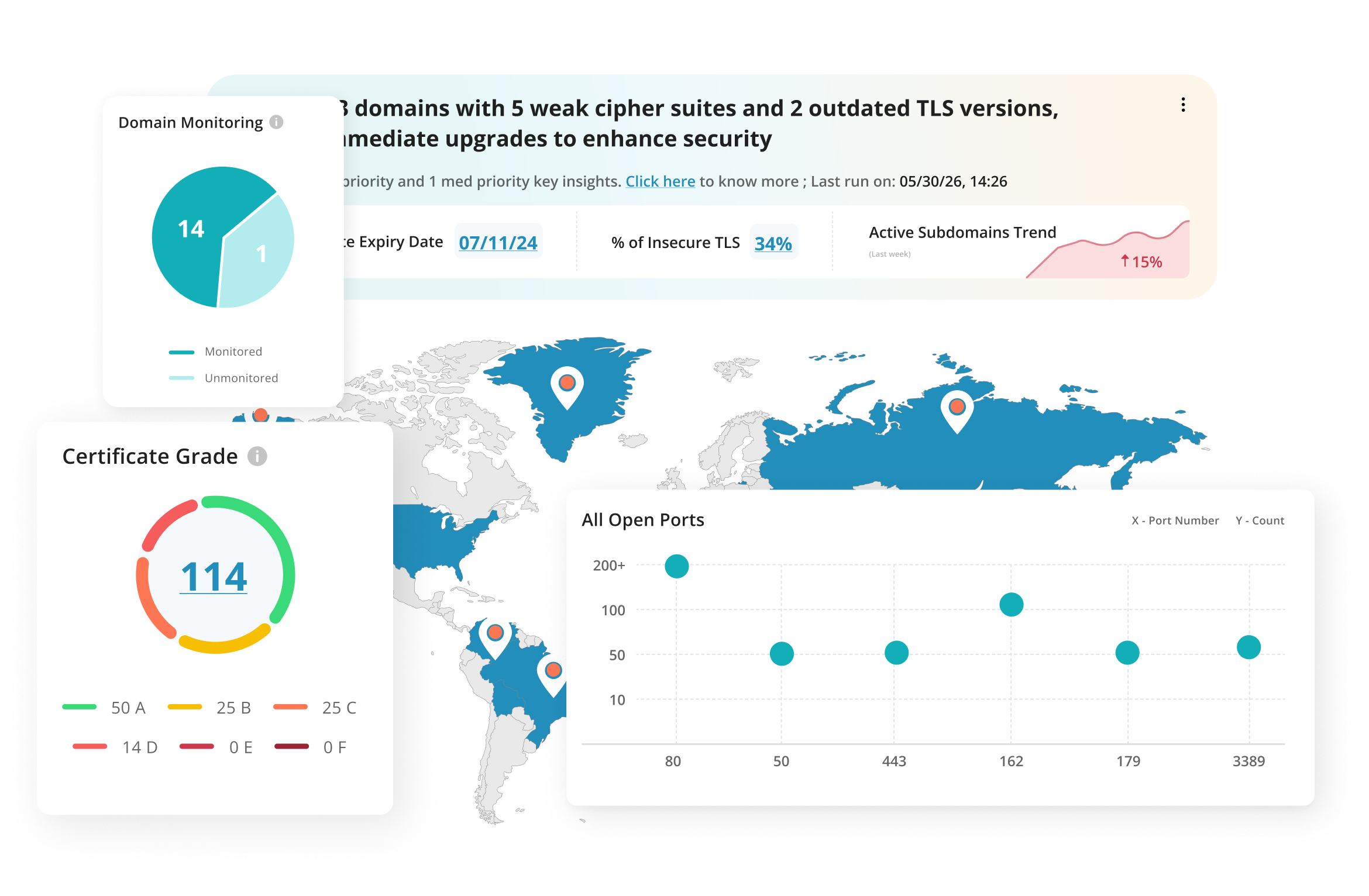









Your environment decides what's urgent. Your scanner doesn't know it
Severity rates the vulnerability, not whether it's reachable, exploited in the wild, or already patched elsewhere. So every finding gets worked as if it carries the same weight.
Every finding defaults to critical until context says otherwise.
Business Risk Score, exploit flag and Real Time Threat Indicator on every finding.
A severity tier alone doesn't say if it's actually exploitable.
Exploit Public, Easy Exploit, Actively Attacked, Ransomware, CISA Known Exploited and thirteen more, at a glance.
A fix that regresses still shows as closed.
Tracked across runs, with a named status if it comes back.
Everything looks critical, so nothing does. The real question isn't how many findings are rated critical, it's whether the critical ones are the ones actually getting fixed
Risk-based vulnerability management comes down to six things being true: asset exposure, asset criticality, vulnerability severity, exploit availability, patch availability, and Real Time Threat Indicators. Here is how each one lands on a finding.
Every finding arrives with a Business Risk Score
A Business Risk Score alongside a named severity tier, so the conversation starts with a number rather than a debate.
- Business Risk Score on every finding. A single number that factors vulnerability severity, likelihood of exploitation and the criticality of the asset it sits on, so it is not read in isolation.
- Asset Risk Level, rolled up. Individual finding scores combine into a single risk level per asset, so you can see which parts of your estate carry the most risk without adding up a findings list by hand.
- Named severity tier. Urgent, Critical, Serious, Medium, Minimum, consistent language across engineers and auditors.
- Asset criticality changes the answer. The same critical vulnerability scores lower on a negligible-impact asset than on a mission-critical one, so a medium can outrank a critical.
- Scored at ingest. Attached on arrival, not queued for review.
Know what an attacker could actually use, on the finding itself
A named severity tier tells you how bad a finding is rated. It doesn't tell you if it's already being exploited, or if there's even a patch. Every finding here carries both, plus a Real Time Threat Indicator, side by side.
- Exploit signal and RTI at a glance. Exploit Public, Easy Exploit, Patch Not Available and a Real Time Threat Indicator flagged on the findings list, not buried in the detail view.
- Asset criticality carried through. Mission Critical, Business Critical, Significant Impact, Limited Impact and Negligible Impact, tagged by attack surface mapping, shows on every finding.
- Patch and control awareness. Which findings have no patch, and where a compensating control is missing.
- Named severity tier. Urgent, Critical, Serious, Medium, Minimum, consistent across the backlog.
Scoped to your environment, not a default profile
Scope, credentials and cadence are agreed with our team before a run and tuned per asset, so a thorough assessment does not become an availability incident.
- Broad network and host coverage. Discovery and assessment across your in-scope estate, configured by our team to suit the target.
- Authenticated or unauthenticated. Arranged per asset with our team, so internal blind spots get authenticated coverage and perimeter-facing assets get tested the way an outsider would reach them.
- Reassessment on request. Re-run an assessment whenever you need to, with no limit and no fixed window. A reassessment re-runs the target, so closure is confirmed against a fresh run.
- Host liveness tracked automatically. Total, active and inactive hosts shown per asset, so scope drift shows up immediately rather than at the next audit.
One list your team can actually work from
One findings list, one workflow: a single pane of glass instead of a different tab for every testing method.
- A status for every outcome. New, Active, Retest Ready, Re-Opened, Fixed and False Positive, so a regression can't hide as a new finding or a silent close.
- Dismissals stay on the record. A written justification is mandatory and stays on the finding, so a dismissal is on the record rather than a finding quietly leaving the list.
- Re-Opened, not new. A finding that reappears after a fix comes back flagged as Re-Opened rather than logged as a fresh issue.
- Sliced any way you need it. Filter by status, severity, RTI, PCI flag, asset or IP at once, not one dimension at a time.
- MTTR, ageing and risk trend. Measured on how fast risk closes, not how fast it is found.
A fix isn’t closed until something proves it closed
What matters is the exposure window: the time between an attack path existing and your team proving it closed. You mark a fix Retest Ready and the next assessment confirms whether it held. No 30 or 90-day window that quietly shuts the door on a regression in month four. Reappearance shows as Re-Opened, not logged as new, so a regression can't hide.
AISO™ reads the backlog before you do
Discovery finds the assets. AISO writes the decisions: what is exposed now, what is about to break, and where remediation is slipping.
Your AI Security Officer, offering real-time insights and risk-based decision support.
Imminent SSL/TLS Certificates Expiry
8 SSL/TLS certificates will expire in the next 30 days, which could lead to service disruptions and security risks.
Inefficiencies in Vulnerability Remediation Cycles
MTTR for certain critical vulnerabilities exceeds 7 days, indicating inefficiencies in your current remediation process.
Unrestricted Hacker Access Through Unpatched Exploits
10 vulnerabilities allow unauthenticated exploitation and have public exploits already available.
Zero-Day Vulnerabilities Jeopardize Security
Multiple unpatched vulnerabilities could grant attackers unauthorized access to critical systems.
Vulnerabilities Lacking Patches Pose Immediate Risk
Active vulnerabilities identified with no patch currently available, increasing your attack surface.
Vulnerabilities Enable Lateral Movement or Privilege Escalation
A number of new vulnerabilities allow lateral movement across systems and privilege escalation.


Everything an engineer needs, and everything an
auditor asks for
Assessment, autonomous testing and pentest findings sit in one list, each labelled with its source.
Exploit and patch context
Live exploit availability, patch status, Real Time Threat Indicators and compensating control gaps.
Full raw evidence
The complete request and response captured, not a summary, on the same screen as the score.
Verified, not assumed
Scan evidence attached to every confirmed finding, so nobody has to take it on trust.
Exact fix, not just guidance
Copy-paste config lines for your actual server software, plus what to put in place if a fix has to wait.
Owner and activity log
Who changed what, why, and when, in sequence.
One-click export, always on
Threat, impact, remediation, evidence, a yes/no PCI flag and status, one row per finding, filtered exactly as you have the table set.
Asset tags carried through
Group by your own labels, so a few thousand assets stay navigable.
Reviewable away from a desk
Dashboards and finding detail are mobile-responsive, so a call does not have to wait.
No separate scanner contract
Enterprise-grade assessment included. No licence to buy, no console to run.
Confirmed or potential, never blurred
Where the assessment cannot confirm a vulnerability with certainty it is labelled potential, not reported as confirmed and not dropped.
CVE ID matching
Findings matched against known CVEs automatically and shown as their own field, so a known exploit is never buried in a description.
Known exceptions flagged
Common false-positive scenarios noted directly on the finding, so you're not left guessing whether it's worth chasing.
Vulnerability assessment vs the tools you run now
| Legacy scanner | Spreadsheet + analyst time | Siemba, unified | |
|---|---|---|---|
| Exploit context | CVSS severity only | Analyst judgment, inconsistently applied | Exploit Public, Easy Exploit, Patch Not Available and Real Time Threat Indicators on every finding |
| Scoring | CVSS severity | Whatever was in the export | Business Risk Score plus named severity tier, at ingest |
| Closure vocabulary | Open / Closed | Open / Closed | New, Active, Retest Ready, Re-Opened, Fixed, False Positive |
| Multi-source view | Single source | Manual merge | A single pane of glass across testing methods |
| False positives | Suppressed, no record | A note in a column | Mandatory written justification, full audit trail retained |
| Retesting | Rescan if you remember | Trust | Tracked across runs, no 30/90-day window; reappearance flagged Re-Opened, not hidden |
| Programme metrics | Finding counts | Manually assembled | MTTR, ageing and risk trend tracked in-platform |
How Siemba compares
vs a legacy vulnerability management platform
Excellent at vulnerability scanning and enumeration, and that is the part you already have. What you are short of is exploit context and a closure trail. This gives you a Business Risk Score, exploit signal and a named status on every finding, not just a severity tier and a rescan.
vs an application security posture tool
Posture tools aggregate findings from tools you still have to buy and run. Here, assessment sits next to the autonomous testing and manual pentesting that generate the findings, so consolidation is not a separate purchase.
vs relying on severity alone
A critical and a medium look equally urgent until you check exploit availability finding by finding. Here that check is a column, not a task.
The outcomes security teams get from Siemba
Four disciplines, one risk model
Mapping finds it. Assessment scores it. Autonomous testing proves it. Certified engineers go deeper when the stakes demand it.
Attack Surface Mapping
Find every internet-facing asset first: no agents, no credentials.
Learn more →AI-Native DAST
Drop a URL. Authenticated testing behind MFA, with evidence on every finding.
Learn more →Expert-Led Pentesting
Certified in-house testers on web, API, cloud, network, mobile and AI systems.
Learn more →API Security Testing
REST, GraphQL and SOAP, tested for the authorisation gaps that leak data.
Learn more →The Full Platform
All four disciplines, one workflow, one risk model, one proof of closure.
Learn more →The questions you'll actually ask
What is vulnerability assessment?
What's the difference between vulnerability assessment and vulnerability management?
What's the difference between vulnerability assessment and penetration testing?
What is risk-based vulnerability management?
How does this actually reduce noise, in practice?
What is the difference between a confirmed and a potential finding?
Does this cover web applications and APIs?
Do we replace our existing scanner, or does this sit alongside it?
What stops a fix from being marked closed when it did not hold?
What stops a finding from being quietly downgraded or closed?
How do you track MTTR without us maintaining a spreadsheet?
Someone is mapping your attack surface today. Make sure it’s you first
Point Siemba at one domain and see the inventory an attacker would build. No contract, no agents, no sales call.